A driving journal for Android
Remember the
roads you take.
Record your drives, revisit your routes, and keep the places you want to return to.
Coming soon on Google Play
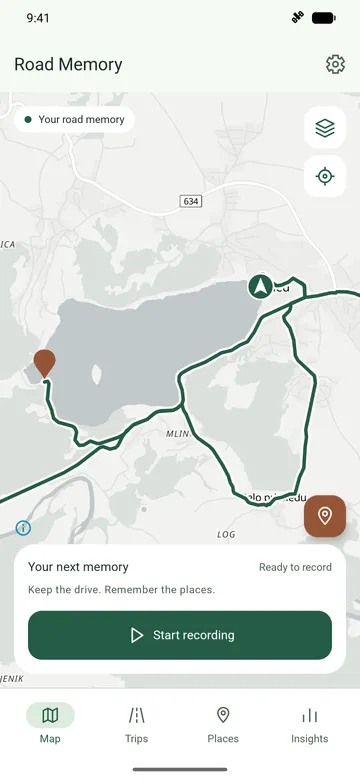
01 / Record · pause · keep
From a drive to a memory.
A familiar route or a day somewhere new. Keep the journey so you can come back to it.
Start with the road ahead.
Start a recording in the app before you set off.
Make room for a stop.
Pause your recording when you need to, then resume when you’re ready.
Keep the drive.
Finish the recording and find the saved drive in your history, with its distance and driving time.
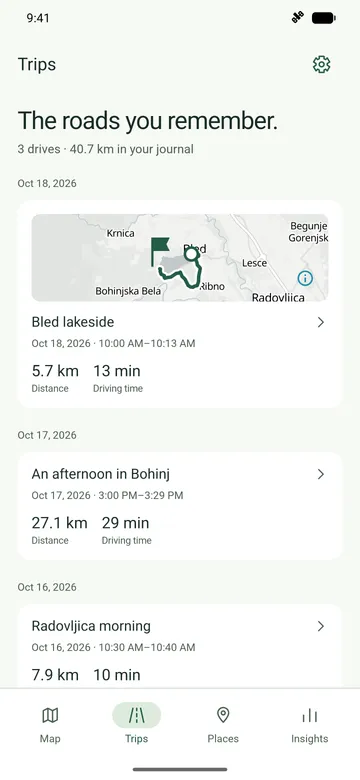
02 / Revisit the route
Take another look at the journey.
Open a saved drive to see where it began, where it ended, and the road in between. Bled lakeside is one drive from the demo journal, shown here with its recorded speed profile.
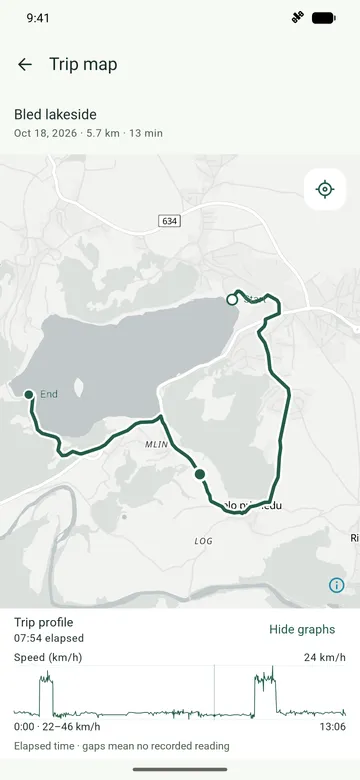
The route, in context.
Follow the saved route and its start and end markers. In the app, you can export a completed trip as a GPX file to keep a copy.
Details from the recording.
Explore speed readings along the journey. An altitude profile is available when altitude was recorded; this drive shows speed only.
Driving time excludes recording pauses. Profiles use elapsed time since the trip began, so the two can differ. Gaps mean no recorded reading.
03 / Remember the stops
Keep the places worth returning to.
A lakeside viewpoint. A stop you’d make again. Keep the location with a name, so it’s there when you want to return.
The demo journal’s Lake Bled viewpoint is a stop from the Bled lakeside drive. Places have their own place in your journal, beyond the trip history.
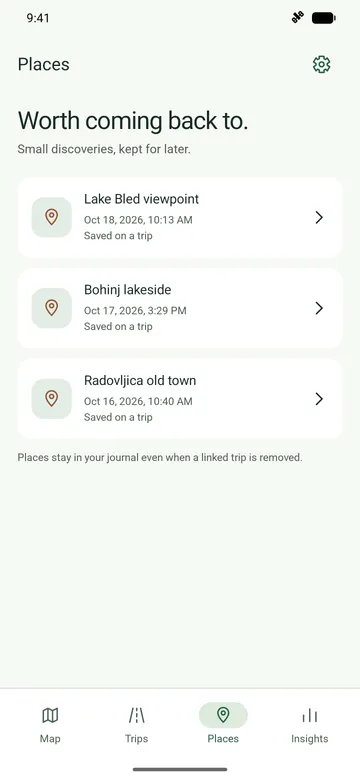
Save the spot.
Save your current location in the app when you find somewhere you want to remember.
Make it familiar.
Give the place a name you’ll recognize when you browse your journal later.
Find your way back.
Open a saved place and choose Navigate to hand its location to a navigation app.
04 / Your journal, together
See the bigger picture.
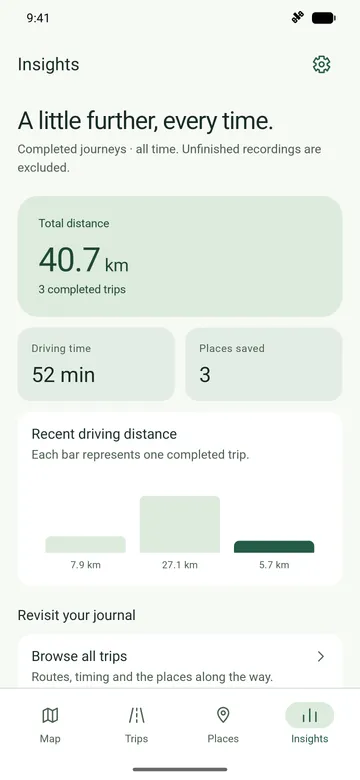
Look back at the distance you’ve covered, the time spent driving and the places you’ve kept along the way.
- Distance covered
- The combined distance of your completed trips. Unfinished recordings stay out of the total.
- Time spent driving
- Recorded driving time across completed trips, excluding recording pauses.
- Places kept
- Your saved places, counted independently of your completed trips.
- Recent journeys
- Each bar shows the distance of one completed trip, for up to five recent drives.
About your data
Your journal, on your device.
Stored on your device.
Trip and place records are stored locally by the app. You can export a completed trip as a GPX file through Android’s file-saving flow.
Location for recording.
Recording a drive needs location permission. You can browse the map without starting a recording.
Online maps use the internet.
Online map requests share the viewed area and your network address with the map provider.

Your next journey, remembered.
A driving journal for Android. Keep the drives and stops you want to come back to.
Coming soon on Google Play
Explore the app